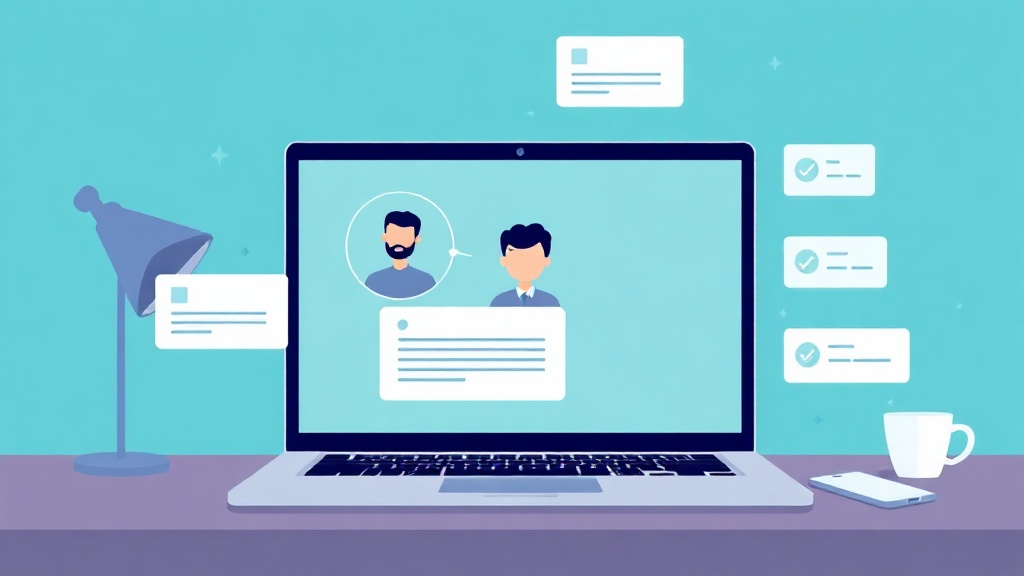
If you still take meeting notes by hand, you are doing work a robot will happily do for free. In 2026, AI meeting assistants sit quietly in your Zoom, Google Meet, or Microsoft Teams call, transcribe every word, and then hand you a tidy summary plus a checklist of action items before you have even closed your laptop. No more “wait, who was supposed to send that?” the next morning.
This guide breaks down what these tools actually do, the best options right now, how to set one up in a few minutes, and the tips that separate clean, usable notes from a wall of unreadable transcript.
What an AI meeting assistant actually does
At its core, an AI meeting assistant does four things automatically:
- Records and transcribes the conversation in real time, usually with speaker names attached.
- Summarizes the meeting into a short recap so you can skim it in 30 seconds instead of rewatching an hour.
- Extracts action items — the “who needs to do what by when” list that usually gets lost.
- Makes it searchable, so you can later ask “what did we decide about the budget?” and jump straight to that moment.
The best modern tools go a step further, syncing notes and tasks straight into your CRM, project manager, or Slack so nothing has to be copied by hand.
The best AI meeting assistants in 2026
The market has matured, and different tools now win at different jobs. Here are the standouts worth knowing.
Fathom — best all-around free option
Fathom has become a fan favorite, carrying a rare 5.0/5 rating on G2 from more than 6,000 reviews. Its free tier is genuinely generous: unlimited recording, unlimited storage, and AI summaries with no time limit and no credit card required. It processes your notes in around 30 seconds after the call and claims roughly 95% transcription accuracy. It also offers a bot-free capture mode, so no awkward robot participant shows up in the meeting.
Fireflies — best for sales and CRM-heavy teams
Fireflies is one of the most established players, supporting 60+ languages and a deep bench of integrations that push meeting data into your CRM and project tools. At around $10 per user per month, it is a strong value for sales teams. In early 2026 it added “Talk to Fireflies,” powered by Perplexity AI, which lets you ask questions and pull live web results right inside a meeting.
Otter.ai — best for real-time live captions
Otter remains the go-to for live, on-screen captions as people speak, which is a big help for accessibility and for anyone who joins late. Its conversational search lets you ask questions about the meeting instead of scrolling the whole transcript. The free plan includes 300 minutes per month, and the Pro plan runs $16.99 per user per month with 6,000 minutes.
Granola — best for sensitive, bot-free meetings
Granola captures notes without dropping a visible bot into the call, which makes it a favorite for private conversations, client calls, and interviews where a third-party “recorder” would feel intrusive.
Platform-native options — Zoom AI Companion and Microsoft Copilot
If your company already lives inside Zoom or Microsoft Teams, the built-in assistants (Zoom AI Companion and Microsoft Copilot) may already be available at no extra cost. The tradeoff: they work only inside their own ecosystem, while third-party tools follow you across every platform.
How to set one up in about five minutes
Getting started is easier than most people expect. The typical flow looks like this:
- Pick your tool based on where you meet most and your budget. If unsure, start with a free plan like Fathom or Otter.
- Connect your calendar. Grant access to Google or Outlook so the assistant knows when your meetings are.
- Choose auto-join or manual. You can let the assistant join every scheduled call automatically, or only the ones you flag.
- Link your integrations. Connect Slack, Notion, HubSpot, or your project manager so summaries and tasks flow where your team already works.
- Set sharing rules. Decide who gets the recap automatically after each call.
That is it. After the next meeting, the notes, summary, and action items land in your inbox on their own.
Tips for clean, trustworthy notes
AI transcription is good, not perfect. A few habits make a huge difference in quality:
- Say names and next steps out loud. “Maria will send the contract by Friday” gives the AI a clean action item to grab. Vague nods do not.
- Use a decent microphone. Crosstalk and echo are the top causes of garbled transcripts.
- Always tell people they are being recorded. It is respectful and, in many places, legally required. Most tools show a notice, but say it anyway.
- Review the summary before you forward it. Fix any misheard names or numbers so you are not spreading errors.
- Standardize your recap format. Ask the tool for “summary, decisions, and action items” every time so your team knows exactly where to look.
- Delete what you do not need. Recordings pile up fast; clear out old ones to respect privacy and storage limits.
Do you actually need one?
If you sit in more than a handful of calls a week, the answer is almost certainly yes. The time you save not writing notes, chasing follow-ups, or rewatching recordings pays for these tools many times over — and several strong options cost nothing to start. The bigger win is subtle: when nobody is scribbling, everyone is actually present in the conversation.
The key is to start simple. Pick one free tool, connect your calendar, and let it run for a week. You will quickly learn which features you rely on and whether a paid tier is worth it.
Want to get more out of AI at work without the overwhelm? AI Learning Guides breaks down the newest tools into plain-English, step-by-step guides so you can put them to work today. Explore our library and turn AI into your everyday advantage.
Ready to actually make money with AI?
Reading is step one. Our step-by-step eguides and book bundles hand you the exact workflows, tools, and templates to start earning — without the guesswork. Grab a guide and put this to work today.
Want it all? The Complete Collection (20 books, $289) or the Wealth Mindset Trilogy ($79) bundle up the best of it.


