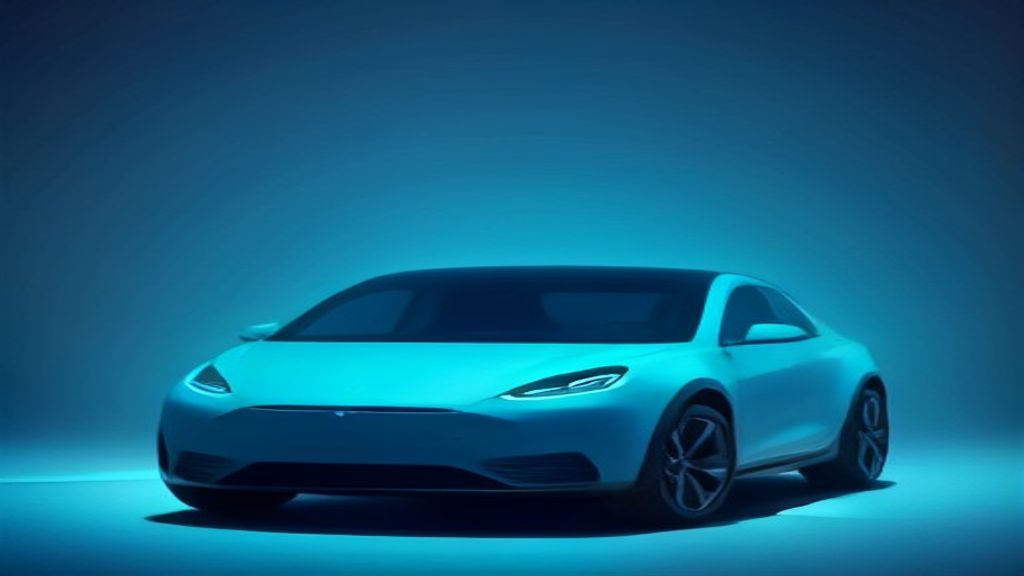
Tesla started shipping Grok to production vehicles, and it changes what an “in-car assistant” means. For the first time, a frontier-scale chatbot rides shotgun in a mass-market consumer product — not as a phone-projected app, but baked into the infotainment stack itself. Grok in Tesla cars is the clearest signal yet that the OEM voice assistant era of “call mom” and “set temperature to 70” is over. The catch: what Grok says and what Grok controls are two very different lists, and knowing the difference is the whole story.
What’s actually new with Grok in Tesla cars
The Tesla Grok integration arrives via over-the-air software update on AMD Ryzen-based infotainment hardware — Model S, Model 3, Model X, Model Y, and Cybertruck units built roughly from mid-2021 onward. Older Intel Atom-based cars are not in scope, and there is no retrofit path announced. If you have a Ryzen car with Premium Connectivity, an active Wi-Fi connection at update time, and a supported region, the Grok tile appears in the app launcher after the update installs.
Grok runs in the cloud. The car is a thin client: microphone in, streamed tokens out, rendered to the center display with an optional text-to-speech voice. That architecture explains most of the product’s rough edges. It needs connectivity, it costs xAI real inference dollars per conversation, and it sits sandboxed away from the vehicle’s safety-critical CAN bus by design. The xAI Grok voice assistant does not touch steering, braking, Autopilot engagement, or anything that would put a language model in the loop of a moving two-ton object.
What you get is a conversational layer that sits beside the existing voice command system rather than replacing it. Tesla’s legacy voice commands still handle climate, navigation, seat heaters, and media. Grok handles the open-ended stuff: trip planning, explaining a warning light, drafting a message, settling an argument in the back seat, answering “what’s a good taco place within ten minutes of my route.” Multiple personality modes ship with it, including an unfiltered mode that Tesla gates behind a settings toggle and, sensibly, does not default to when the car detects passengers under a profile flag.
Why it matters
- It normalizes always-on LLMs in physical products. Every other OEM now has to answer why their in-car AI assistant in 2026 still can’t hold a conversation. Mercedes, BMW, and GM all have announcements; Tesla has cars on the road doing it.
- The control gap is the real product boundary. Grok talks fluently about your car but issues almost no commands to it. Expect that gap to close incrementally, and expect the first vehicle-control features to be low-stakes ones — climate, media, seat position — not driving.
- Voice-first UX gets a real-world stress test. Road noise, accents, kids yelling, and 70 mph wind make a brutal ASR environment. Whatever Tesla learns here propagates to every voice product that follows.
- Privacy expectations shift under drivers. Cabin audio for Grok queries goes to xAI infrastructure. Tesla exposes a data-sharing toggle, but most owners will never open that menu, and “the car heard it” now sometimes means “a third party processed it.”
- It’s a distribution moat, not a model moat. Grok isn’t necessarily the best model — it’s the one with millions of dashboards. Distribution has decided more platform fights than capability ever has.
- Connectivity becomes a hard dependency. In a dead zone, Grok is dead. An assistant that can’t degrade gracefully offline is a feature you can’t rely on when you most need directions.
How to use Grok in your Tesla today
- Confirm your hardware. Tap Controls → Software and check Additional Vehicle Information. You need a Ryzen-class infotainment computer; Intel Atom cars are excluded. Note your firmware version while you’re there.
- Get the Grok Tesla software update. Connect to Wi-Fi, then Controls → Software → Check for Updates. Set the update preference to Advanced so you receive releases as soon as Tesla pushes them to your VIN rather than in the delayed standard wave.
- Enable it. After the update, open the app launcher and tap the Grok tile. Accept the xAI terms, then set your defaults:
Controls → Software → Grok Voice output: On Wake phrase: "Hey Grok" Personality: Default | Storyteller | Unhinged Conversation memory: On (per-driver-profile) Share data with xAI: Off ← review this one deliberately - Learn the two-lane split. The steering-wheel button (or “Hey Grok”) reaches Grok for open-ended questions. Legacy Tesla voice commands still own vehicle functions. Say these to the car, not to Grok:
"Set temperature to 68" "Navigate to 1200 Main Street" "Turn on passenger seat heater" "Open the glovebox" - Prompt it like an assistant, not a search box. The wins come from context, not keywords. Try:
Plan a 3-stop route from Austin to Big Bend that keeps every
Supercharger leg under 150 miles. Give me arrival SoC estimates
assuming 75 mph and 95F ambient. Answer in under 60 words.
My car is showing a yellow warning about reduced regenerative braking after sitting in a cold garage overnight. Explain what causes it and whether I should be worried. Two sentences.Asking for a word or sentence limit matters more in a car than anywhere else — an unconstrained model will monologue for ninety seconds while you’re merging.
- Save reusable prompts to your phone. There’s no prompt library in-dash, so keep a note you can read aloud. A local file works fine:
cat >> ~/tesla-grok-prompts.md <<'EOF' ## Road trip Summarize traffic and weather for my next 100 miles. 30 words max. ## Diagnostics Explain this Tesla alert in plain English, then tell me if it is safe to keep driving: [ALERT TEXT] ## Kid mode Tell a 3-minute story for a 7-year-old about a robot who fixes cars. EOF - Build the same behavior into your own projects. The in-car experience is a system prompt plus a tight token budget. Prototype that pattern against the xAI API on a laptop:
curl https://api.x.ai/v1/chat/completions \
  -H "Authorization: Bearer $XAI_API_KEY" \
  -H "Content-Type: application/json" \
  -d '{
    "model": "grok-4",
    "max_tokens": 150,
    "messages": [
      {"role": "system", "content": "You are an in-car assistant. The user is driving. Answer in under 40 words. Never give instructions that require looking at a screen."},
      {"role": "user", "content": "Is it safe to charge to 100% every night?"}
    ]
  }'
That system prompt — driving context, hard length cap, no screen dependency — is most of what separates a usable in-car assistant from a chatbot bolted to a dashboard.
- Turn it off when you don’t want it. You can disable the wake phrase independently of the app, keeping Grok available on the button without a hot mic listening for its name.
How Grok in Tesla cars compares to other in-car assistants
| Assistant | Underlying model | Vehicle control | Works offline | Availability |
|---|---|---|---|---|
| Grok (Tesla) | Grok, cloud-hosted by xAI | Minimal — conversation only, legacy commands handle the car | No | Shipping OTA to Ryzen-based Teslas |
| Tesla legacy voice | On-device intent parser | Full — climate, nav, seats, media, doors | Mostly yes | All Teslas |
| Mercedes MBUX Virtual Assistant | Hybrid in-house plus third-party LLM | Deep — comfort, nav, and vehicle settings | Partial | MBUX-equipped models |
| Google Built-in (Polestar, Volvo, GM) | Gemini-class assistant | Moderate — climate, nav, media | Partial | Android Automotive vehicles |
| Apple CarPlay + Siri | On-device plus cloud Siri | Phone functions only, not the car | Partial | Most non-Tesla vehicles |
Read that table honestly and Tesla’s position is unusual: the most capable conversationalist paired with the least vehicle authority. Mercedes and Google shipped assistants that do things but can’t really talk. Tesla shipped one that talks brilliantly and does almost nothing. Whoever merges those two columns first wins the category.
What’s next
The obvious roadmap item is function calling against vehicle APIs. Once Grok can safely invoke a whitelisted set of commands — climate, seat heaters, navigation destinations, media, charge limits — the “talks about your car” criticism disappears overnight. The engineering problem isn’t the model; it’s building a permission layer that guarantees a hallucinated tool call can never reach anything safety-relevant. Expect Tesla to ship that conservatively, one narrow capability at a time, with the driving stack permanently walled off.
The second thing to watch is where inference runs. Cloud-only means latency, dead zones, and a per-query bill xAI eats on millions of vehicles. A smaller distilled model running locally on the infotainment SoC — handling common queries offline and escalating hard ones to the cloud — is the natural architecture. If Tesla announces on-device Grok, that’s the real milestone, not the initial launch.
Third, watch the regulatory conversation. An in-car AI assistant in 2026 that produces long spoken answers raises a driver-distraction question, and the unfiltered personality mode raises a content-moderation question. Regulators will ask both. The practical takeaway for owners: use it, enjoy it, and treat it as a very good passenger rather than a co-pilot — because for now, that’s exactly what Tesla built.
Frequently Asked Questions
Can Grok drive my Tesla or control Autopilot?
No. Grok is fully sandboxed from the driving stack. It cannot engage or disengage Autopilot or Full Self-Driving, steer, brake, accelerate, or change any driving-related setting. That separation is deliberate and unlikely to change.
Which Teslas support the Grok integration?
Vehicles with AMD Ryzen infotainment hardware — generally Model S, 3, X, Y, and Cybertruck from roughly mid-2021 onward — running a current firmware release, with Premium Connectivity and support in your region. Intel Atom cars are not supported, and there’s no announced retrofit.
Does Grok cost extra?
Grok ships bundled with the software update rather than sold separately, but it requires connectivity. In practice that means Premium Connectivity, since standard connectivity throttles data-heavy in-car features. Treat the subscription as the real price of admission.
Does it work without cell service?
No. Every query is a round trip to xAI’s servers. In a canyon or a rural dead zone, Grok goes silent — which is why the legacy on-device voice commands still matter for anything you actually need to work.
Is my in-car conversation private?
xAI processes audio from Grok queries off-vehicle. Tesla exposes a data-sharing toggle in the Grok settings; turning it off limits how your interactions are retained for model improvement, but the query itself still leaves the car. Assume anything you say to Grok is a cloud request, because it is.
How do I use Grok in a Tesla without triggering it accidentally?
Disable the “Hey Grok” wake phrase in settings and invoke it only with the steering-wheel button. You keep full access on demand without a hot mic listening for its name — the right default for anyone who cares about cabin privacy or has passengers who like to talk.
Go deeper than this article
This article covers the essentials. Our premium eguide library gives you the full step-by-step playbooks — prompts, workflows, and copy-paste recipes you can put to work today.


